
How to Fix RDP Protocol Error code:0x112f or 0x112d?
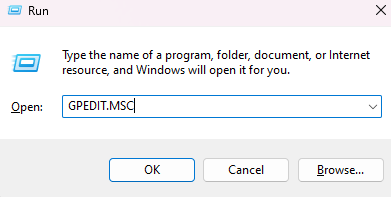
Open GPEDIT.MSC on the remote computer
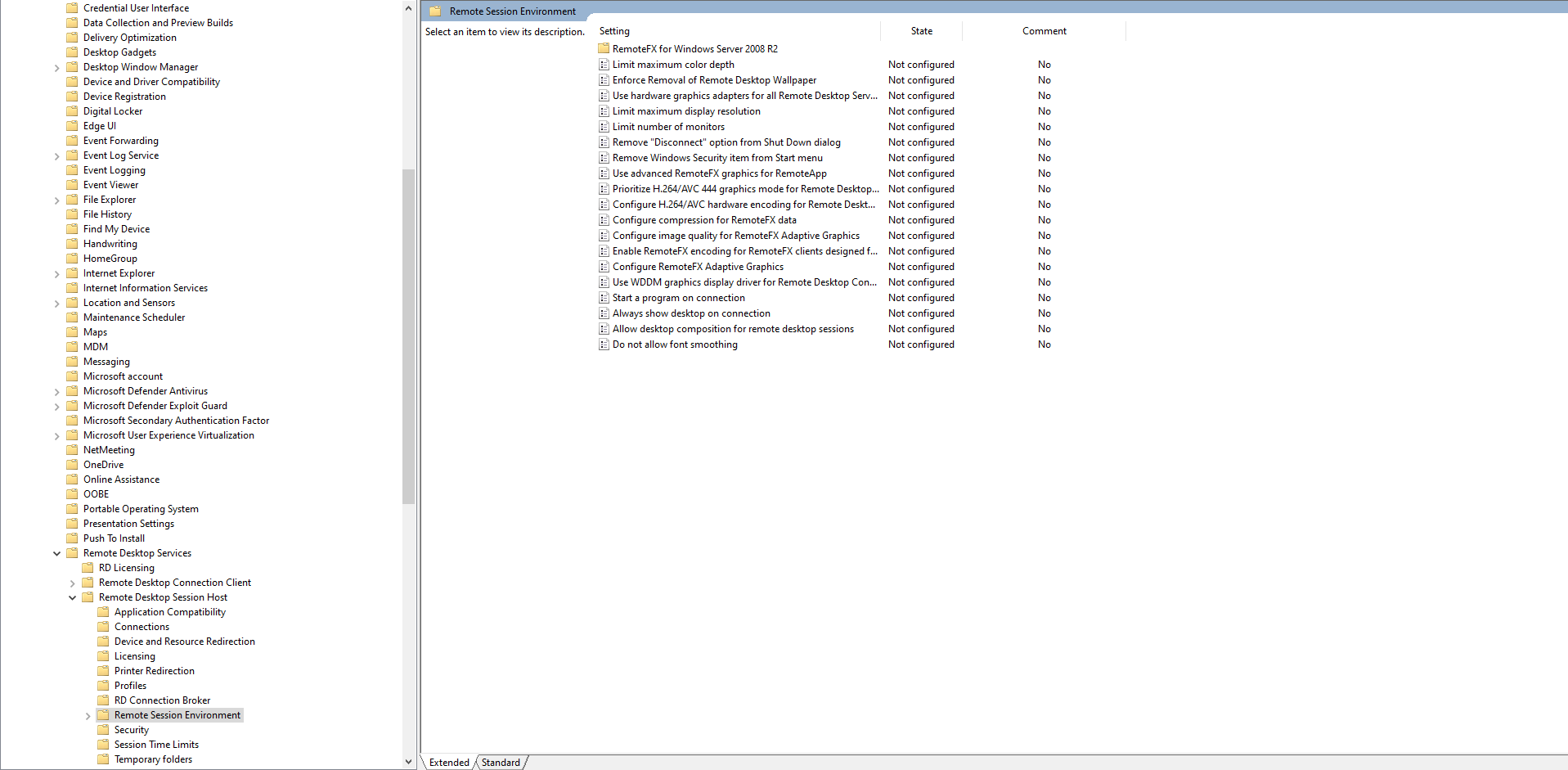
Go to Computer Configuration -> Administrative Templates -> Windows Components -> Remote Desktop Services -> Remote Desktop Session Host -> Remote Session Environment.
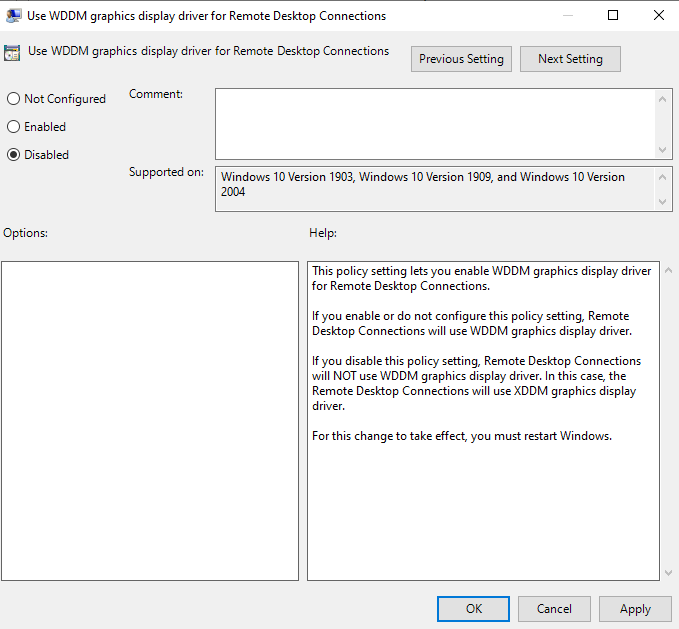
Change the policy "Use WDDM graphics display driver for Remote Desktop Connections" to Disabled.
Home, away and third shirts offer different ways to represent a team. When everyday comfort matters as much as appearance, Arsenal jersey(camiseta del Arsenal) provides the relevant shirt option. A carefully chosen shirt can connect personal style with long-standing supporter memories.
Reboot the remote computer and then re-connect.